Start a New Year
Starting a New Financial Year in Abaque
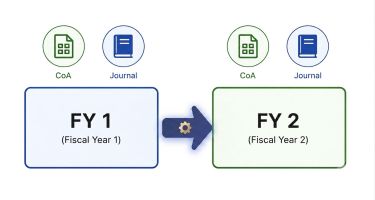
In Abaque, each Google Sheets document contains a structured pair of fiscal‑year components: a Chart of Accounts (CoA) and an associated Journal sheet. Each fiscal year is represented by its own set, and Abaque links these sets together through the GIFI_BALANCE_CARRYFORWARD custom function, ensuring that closing balances from one year flow automatically into the next.
These instructions explain how to prepare the CoA and Journal sheets for a new fiscal year, how year‑related headers drive the rollover process, and how Abaque maintains continuity across periods without manual copying. By following the steps below, your new fiscal year begins with accurate, validated opening balances derived directly from the prior year’s data.
Copy the prior year’s sheets
To begin preparing the new fiscal year, you’ll duplicate the prior year’s Chart of Accounts and Journal sheets. This ensures the new year starts with the correct structure, formulas, and metadata. The steps below assume the prior fiscal year is 2026 and new sheets for fiscal year 2027 need to be generated.
- Select the prior year’s sheets—Hold Shift (or Ctrl/Cmd) and click the “Chart of Accounts - 2026” tab and its associated “Journal - 2026” tab to highlight both sheets.
- Duplicate the selected sheets—Right‑click either highlighted tab and choose Duplicate. Google Sheets will create copies of both sheets side by side.
- Rename the new sheets—Update the sheet names by removing the “Copy of ” prefix and update the year value to
Chart of Accounts - 2027andJournal - 2027. After renaming, move both newly created sheets to the leftmost position so they appear first in the spreadsheet. To move a sheet to the left, click the small triangle icon on the sheet tab and choose Move left. For more details, refer to Google’s documentation on moving tabs. - Clear Journal transactions—Remove all Journal entries while preserving the header row and formulas. Delete all content under the following columns: DATE, ITEM, DEBIT, CREDIT, AMOUNT. If your template includes the PROV (Canadian) or STJUR (International) column, delete their contents as well. Remove any row groups if present.
Update the year‑related CoA headers
The new‑year Chart of Accounts sheet requires updating the year‑related headers: the Current Balance header cell I2 and the Prior Year Balance header cell M2. These values ensure that formulas and carryforward logic reference the correct fiscal period.
- Open the new Chart of Accounts – 2027 sheet and select cell
I2. - Replace the Current Balance header value
2026with the new fiscal year2027. Updating cellI2automatically adjusts the journal sheet references passed to the second parameter of the GIFI_21_BALANCE function, which is constructed using the following formula:
INDIRECT("'Journal - " & I2 & …) - Validate the Prior Year Balance header—Column
Mstores the prior fiscal year value, computed dynamically based on the current fiscal year stored in cellI2.
= I2 - 1
Confirm that the formula in columnMcorrectly reflects the prior fiscal year after updating cellI2.
Add the carryforward function for the second fiscal year
When preparing the second fiscal year in your spreadsheet, the Chart of Accounts sheet must add the carryforward function that retrieves prior‑year ending balances computed by Abaque. This function is added only once—during the creation of the second fiscal year. All subsequent fiscal‑year duplications assume the carryforward function is already present in cell M3.
- Open the new Chart of Accounts – 2027 sheet.
- Erase all prior‑year balances, if any, under column
M. These values may exist if the first fiscal year included manually entered opening balances. - Select cell
M3. - Enter the carryforward function—Insert the
GIFI_BALANCE_CARRYFORWARDfunction into cellM3. This function retrieves the prior fiscal year’s ending balance using the year value stored in cellM2.
= GIFI_BALANCE_CARRYFORWARD(D3:E, INDIRECT("'Chart of Accounts - " & M2 & "'!D3:E"), INDIRECT("'Chart of Accounts - " & M2 & "'!I3:I"))
The carryforward function is entered only inM3. It automatically overflows downward to populate the carryforward balances for all accounts, provided that the cells belowM3are empty. - Confirm readiness for future duplications—Once the carryforward function is in place for the second fiscal year, no additional setup is required in later years. When preparing fiscal year 2028 and beyond, the duplicated Chart of Accounts sheet will already contain the carryforward logic in cell
M3, and only the year‑related headers (I2andM2) need updating.
Update the data validation rules
The Journal sheet contains three data validation rules. Only two of these rules depend on the fiscal year and must be updated when preparing a new fiscal year. The third rule—based on a static list (STJUR for International or PROV for Canada)—does not require any changes.
Because Google Sheets does not allow the use of INDIRECT inside data validation criteria, the ranges must be updated manually each year to reference the new Chart of Accounts sheet.
- Open the new Journal – 2027 sheet.
- Update the data validation rule for the Debit column (Column
Cby default)—This rule references the account numbers and names stored in hidden columnGof the Chart of Accounts sheet.- Range:
'Journal - 2027'!C2:C - Criteria: Dropdown from range
= 'Chart of Accounts - 2027'!$G$3:$G
- Range:
- Update the data validation rule for the Credit column (Column
Dby default)—This rule references the account numbers and names stored in hidden columnHof the Chart of Accounts sheet.- Range:
'Journal - 2027'!D2:D - Criteria: Dropdown from range
= 'Chart of Accounts - 2027'!$H$3:$H
- Range: